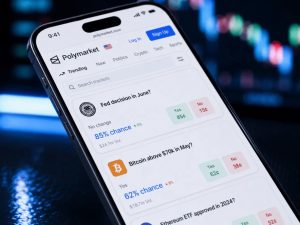
Here is exactly how to use Polymarket, from account setup to your first trade, in about 15 minutes if you have a payment card or crypto ready. Every step is in order, including the parts most guides skip — wallet choice, KYC, and how to actually exit a position before it resolves.
Step 1: Check Access From Your Location
Before creating an account, confirm Polymarket is accessible where you are — see our full legal status guide for the country-by-country picture. The platform blocks the US-facing site for non-invited users and geo-blocks 34+ other countries outright. If you are in a restricted region, the website itself will not let you past this point — you would need a Telegram-based route like Overdog instead, covered at the end of this guide.
Step 2: Create Your Account
Go to polymarket.com and sign up with an email address. You do not need a crypto wallet already set up — Polymarket offers an embedded wallet by default, generated automatically for new accounts.
Step 3: Choose a Wallet Setup
- Embedded wallet (default): Polymarket manages the technical side for you. Easiest option for a first account, recommended for beginners.
- Connect MetaMask or another external wallet: Gives you direct control of your private keys from day one. Better if you already trade on-chain elsewhere and want one wallet across platforms.
You can export your keys from the embedded wallet later if you decide you want full custody — it is not a permanent lock-in either way.
Step 4: Complete Identity Verification if Required
US-based accounts created under the current CFTC-approved invite system require KYC identity verification as a condition of access. Non-US accounts historically faced lighter requirements, though this varies and can change — check the current requirement at signup rather than assuming.
Step 5: Fund Your Account
Deposit USDC, Polymarket’s base currency, either by card (with typical card-processing fees) or by transferring crypto directly to your wallet address on Polygon. Funding in USDC means your balance does not move with crypto price swings — $100 deposited stays $100 in trading power until you actually place a trade.
Step 6: Find a Market You Understand
Browse by category — politics, crypto price targets, Fed decisions, sports, regulatory approvals. The advice that matters most here: trade markets where you have a real information edge. Someone who follows Fed policy closely has a genuine edge on rate-decision markets. Someone with no particular knowledge of a niche category is trading against people who do.
Step 7: Place Your First Trade
Pick YES or NO based on your view of the probability, enter a dollar amount, and confirm. You will see the current price (e.g., $0.40 for YES) and your potential payout if that side resolves correct ($1.00 per share). There is no leverage and no margin call — the most you can lose on a position is what you paid for it.
Step 8: Exit Early or Hold to Resolution
Unlike a sportsbook bet, you are not locked in until the event happens. You can sell your shares back into the order book at any time before resolution, at whatever the current market price is — useful if new information moves the price in your favor and you want to lock in a gain, or against you and you want to cut a loss.
Step 9: Withdraw
Winnings settle in USDC automatically at resolution. From there, withdraw to your wallet or convert to fiat through an exchange — Polymarket itself does not handle the crypto-to-cash conversion step.
Two things worth knowing once the basics are covered: if you’re still deciding whether this is the right platform, our Polymarket vs Kalshi comparison covers the practical differences, and if you want to go beyond the web interface entirely, our Polymarket API guide covers programmatic access.
If the Website Is Blocked Where You Are
The steps above assume direct website access. If your country is on the restricted list, a Telegram-based bot is the practical alternative — it connects to the same underlying Polygon smart contracts without routing through the geo-blocked web interface. Overdog works this way: non-custodial (you hold your keys), deposits accepted from multiple networks including EVM chains, Tron, Solana, and BTC, with its own Polygon node to keep execution fast.
FAQ: Using Polymarket
Do I need a crypto wallet before I sign up? No. The embedded wallet option handles this automatically for new accounts.
What’s the minimum amount to start? No formal minimum, though very small positions are inefficient against the roughly 2% trading fee — most traders start with $50–100. For the full fee breakdown and mechanics, see our complete Polymarket guide.
Can I lose more than I put in? No. Maximum loss on any position equals what you paid for it — there is no margin or leverage involved.
Can I sell before the event happens? Yes, at the current market price, any time before resolution.
See our Disclaimer. This is general information, not financial advice.