Funding Polymarket from a euro bank account runs into the same wall as funding it from anywhere: the platform holds balances in USDC, not euros, and there’s no direct card or bank payment on the site itself. For anyone with SEPA access, though, getting from euros to USDC is genuinely simple — SEPA bank transfers make the on-ramp faster and cheaper than most alternatives.
Getting from Euros to Crypto
SEPA covers most of Europe, and regulated exchanges built around it make this step straightforward. Platforms like Kraken, Coinbase, and Bitvavo accept direct SEPA bank transfers — no card fees, and the transfer itself typically settles same-day or next-day.
The process: open an account on an EU-regulated exchange, link your bank account via SEPA, buy USDC or USDT directly, and withdraw the crypto to a wallet address. This step usually costs nothing beyond the exchange’s standard trading fee (typically under 0.5%) — SEPA transfers themselves are free or near-free between EU accounts.
Which Network to Use for the Deposit
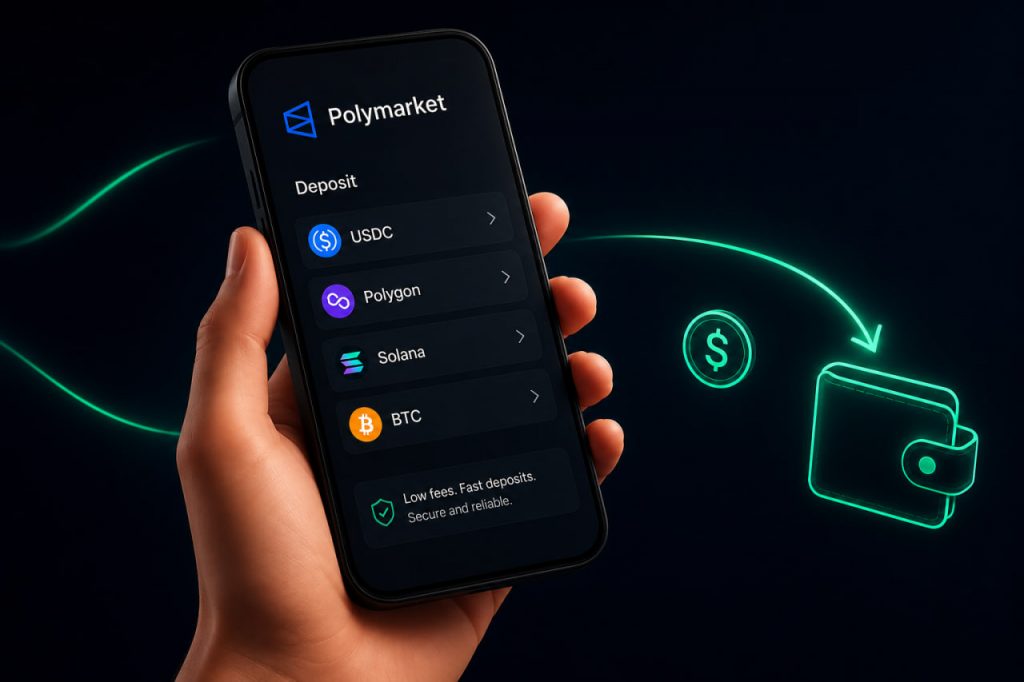
Once you’re holding USDC or USDT, the deposit to Polymarket (or a Telegram bot connected to it) goes through a blockchain network, and the network you pick matters for cost and speed:
- Polygon — Polymarket’s native network. Fees are close to zero, settlement takes a couple of minutes. This is the default choice if your exchange supports withdrawing directly to Polygon.
- Solana — fast and cheap, a solid second option if Polygon withdrawal isn’t available on your exchange.
- Ethereum mainnet — avoid for small deposits. Gas fees can run $5-30+ depending on network congestion, which eats a disproportionate chunk of a modest first deposit.
- Tron (TRC-20) — cheap and fast for USDT specifically, though less commonly the default on Polymarket-adjacent tools.
The single most expensive mistake at this stage is withdrawing from your exchange on the wrong network — funds sent to an address on a network it doesn’t support are not recoverable. Double-check the network matches on both ends before confirming.
Access Varies by Country
Direct access to Polymarket’s own site has shifted more than once as the platform’s regional access list has changed within the EU — worth checking current status for your specific country rather than assuming based on older information. Regardless of direct site access, funding a Telegram bot connected to Polymarket’s contracts, like Overdog, isn’t affected by the same restrictions, since it doesn’t route through the website at all.
Fees, Summarized
- SEPA transfer (euros → exchange): free to low-cost, depending on the exchange
- Exchange trading fee (euros → USDC/USDT): typically under 0.5%
- Network fee (exchange → Polymarket/bot): near-zero on Polygon or Solana, avoid Ethereum mainnet for small amounts
- Polymarket/Overdog itself: no deposit fee — you only pay the network cost
Withdrawing Back to Euros
The path in reverse: withdraw USDC from Polymarket (or the bot) to your wallet, send it to an EU-regulated exchange, sell for euros, and transfer out via SEPA to your bank. Same network rules apply — match the network on both ends, and expect the SEPA transfer out to take one to two business days.
Getting Started
For a euro-to-first-trade path with less exchange-hopping, Overdog generates a wallet directly in Telegram and accepts deposits from Polygon, Solana, Ethereum, or Bitcoin — once your USDC lands from a SEPA-funded exchange purchase, it’s a single transfer from wallet to bot, no separate site access required.